Offload · Mac · macOS 14+ · Free
Cards to drives, checked and sealed.
Offload copies camera cards to several drives at once. It reads the card once, writes every drive at the same time, reads all of it back and compares checksums, then writes an MHL on each drive. If the Mac dies halfway, it picks up where it stopped. You can watch it from your phone.
xxHash64MHL 1.1 per driveCodex HDE volumesAndroid phonesApple silicon and Intel
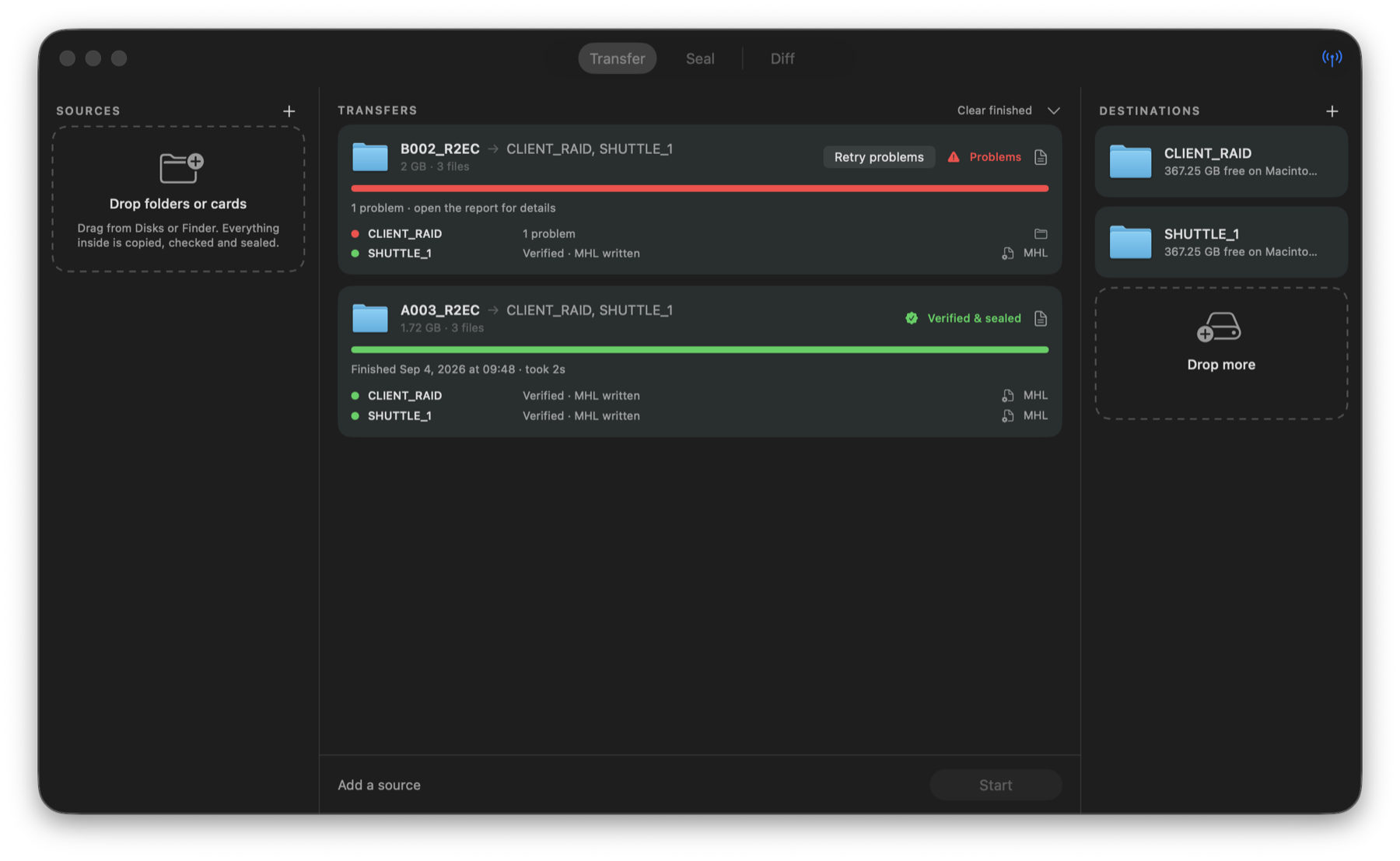
How a transfer runs
One read. Every drive. Then read it all back.
Drop a card and as many drives as you like. Offload streams each file from the card once, hashes it as it goes, and writes the same bytes to every drive in parallel. When the copy is done it reads every file back from every drive, bypassing the cache so it sees what actually landed on the disk, and compares it with the hash from the card.
A drive that comes back clean gets an MHL with every file's size, date and hash. A drive that doesn't is marked with the exact file, and a Retry button redoes just that file on just that drive.
What it handles
Built around what goes wrong on set
Picks up where it stopped
While a copy runs, each drive carries a small log of every file that is fully written, with its hash. If Offload or the Mac dies, relaunch it: the unfinished transfers are back in the window and continue on their own. Files the log vouches for are kept; the one that was mid-write is copied again.
Knows a finished folder when it sees one
A drive that already holds an Offload MHL is recognised. Files it lists are kept, files of unknown origin are read back and compared with the card, and only what's missing or different is written. Re-running a finished transfer takes seconds, and adding a card that grew copies only the new clips.
Fix one drive without redoing the rest
A transfer that finished with a problem gets a Retry button. It redoes the files that failed on the drives that failed, checks them, and writes the MHL once that drive is clean. The drives that were fine are not touched.
Rename on the card
Click the name on any source card and type what the copy should be called on the drives. A sound card called NO NAME becomes SOUND01. Phones get a checkbox that puts that name in front of every file, so a phone called C_iPhone writes C_iPhone_IMG_0001.HEIC. The phone itself is never touched.
Cards, drives, folders, phones, HDE
Any mounted volume or folder. Codex HDE virtual volumes, where sizes are estimates until the file is read. Android phones in File transfer mode, with the option to copy one top-level folder such as DCIM. Phones are sources only.
Compare three or four copies
Point the Diff tab at two or more folders and it lists what differs: missing files, size mismatches, and, if you ask for it, content mismatches by hash. For the day a client asks whether their drive really matches the master.
From your phone
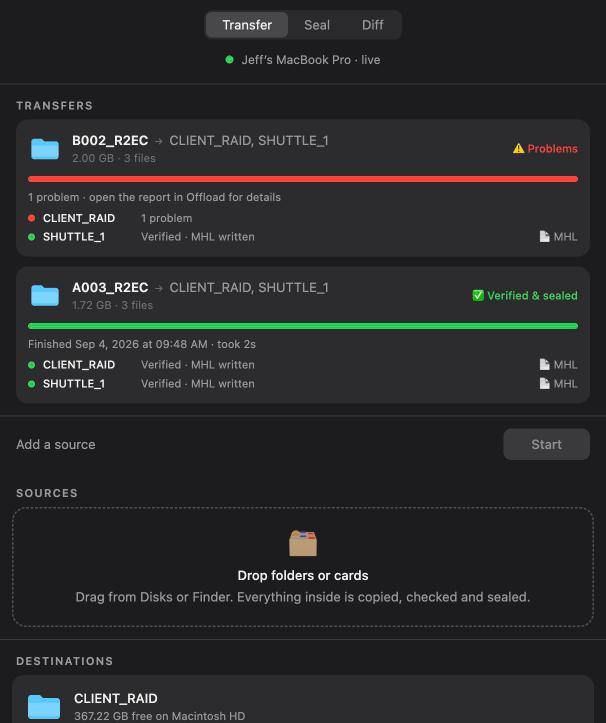
The same window, on a web page
Turn on "Report progress to the web" in Offload and it posts what the window shows every couple of seconds to a page on this site. The page redraws the same columns, bars and per-drive lines, so you can walk away from the cart and still see when a card is sealed or a drive has a problem.
Each Mac gets its own random link. Only someone with the link can see it, and it stops updating when you turn reporting off. Nothing about the footage leaves the Mac: only names, sizes, counts and states.
Download
Get Offload
A notarized Mac app. Free, no account.
Offload for Mac
Verified copies to several drives, MHL per drive, crash recovery, retry, diff, and the progress page.
- Open the DMG and drag Offload to Applications.
- Drag a card and your drives into the window, or pick them from the Disks grid.
- Press Start. Open the report from any finished transfer.
macOS 14 Sonoma or laterPhones need "File transfer" modeCodex HDE needs Codex Device Manager