Parade Video · iPad · iOS and iPadOS 17+
Four feeds. One iPad.
Parade is a quad monitor, multi-feed recorder and set of touch scopes for iPad. It takes direct UVC capture, NDI, SMPTE ST 2110, DeckLink inputs and a live picture from DaVinci Resolve or Premiere Pro, shows up to four of them in a 2×2, records each feed as its own 10-bit HEVC file, and saves HDR stills to Photos. Everything runs over the local network. No account, no cloud.
NDI · SMPTE ST 2110Direct UVCDeckLink via ParadeLinkResolve · PremiereSDR · PQ · HLG
Quad monitor and recorder
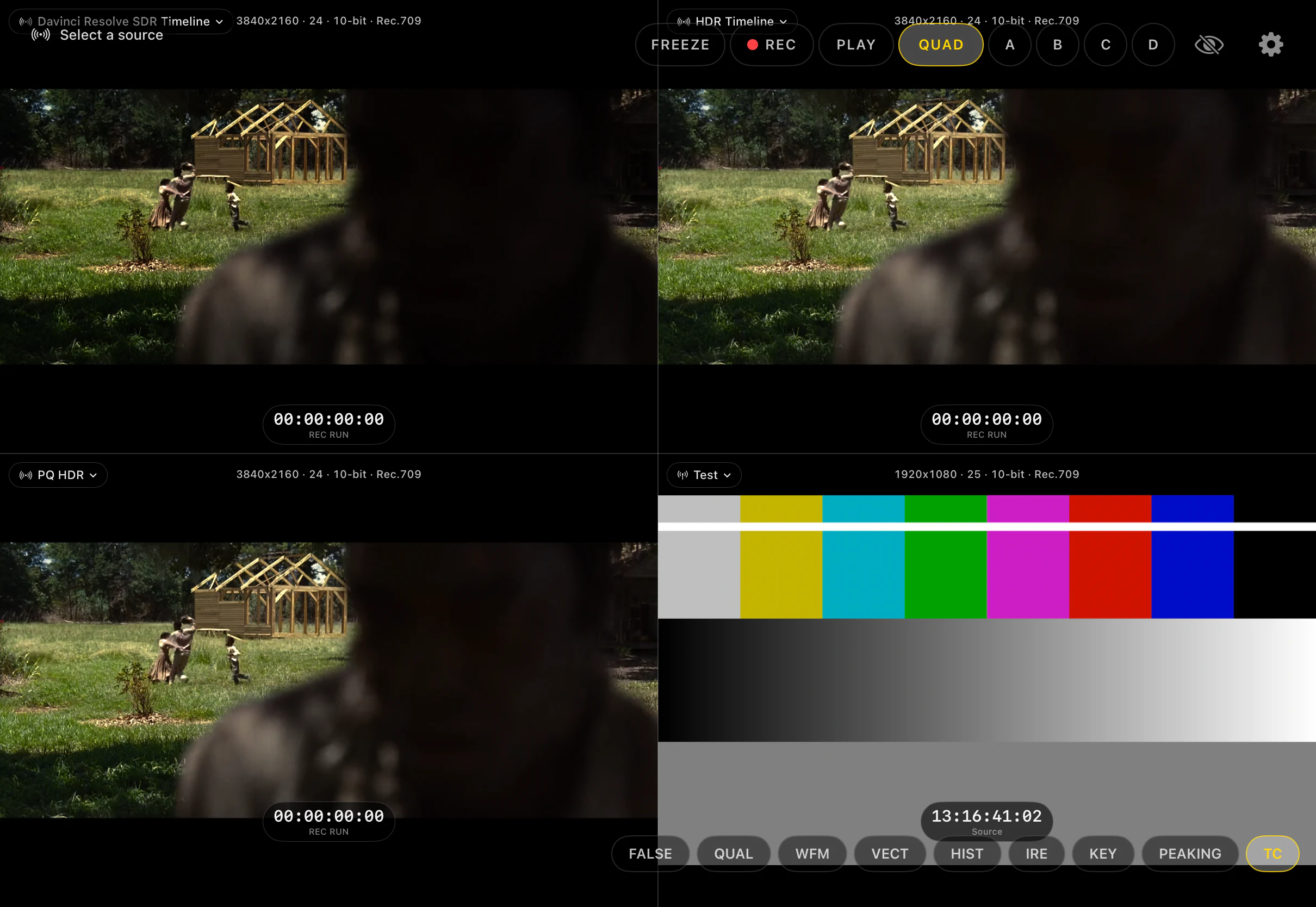
Four feeds in a grid, or any one full-screen
Up to four sources show in a 2×2. Each quadrant has its own source label, format and colour-space readout, zoom, and scopes. Tap A, B, C or D, or double-tap the picture, to see one feed full-screen. The other connections stay up and recording continues.
FREEZE holds the current frame on screen while the feeds and any recording continue. Zoom, probes and scopes still work on the held frame.
Filling A to D
Where the four feeds come from
Parade has one direct UVC capture input on the iPad. The other slots take sources from the local network.
HDMI or SDI through a USB-C capture device
Connect a compatible UVC capture device to an iPhone or iPad. Put that camera in any slot, then monitor it, record it, or send it to nearby Parade viewers. Two devices can connect directly; with four or more, use a router.
Live picture from Resolve or Premiere
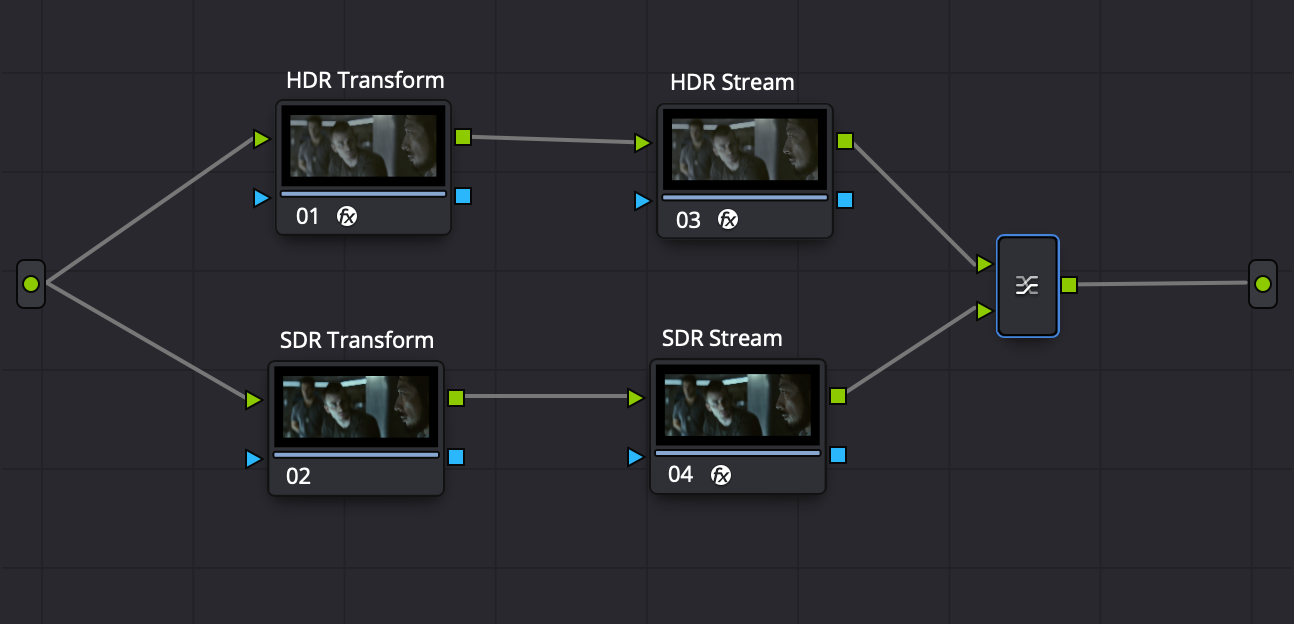
The Parade OFX plugin goes on the last timeline node in Resolve and sends Rec.709, Rec.2100 PQ or HLG at 0.5 to 100 Mb/s. The Premiere plugin adds Parade as a playback output with nothing on the timeline. Both show up as sources on the same Wi-Fi network.
IP video sources
Uncompressed ST 2110-20 streams, entered by address or by pasting an SDP, with 2110-40 timecode. NDI sources from the same network. Either can go in any slot.
DeckLink inputs through ParadeLink
ParadeLink is a Mac app that makes up to four DeckLink inputs available as Parade sources. Name each feed, set its bitrate, and put it in any slot on a Parade viewer on the same network.
Touch scopes
Scopes and tools
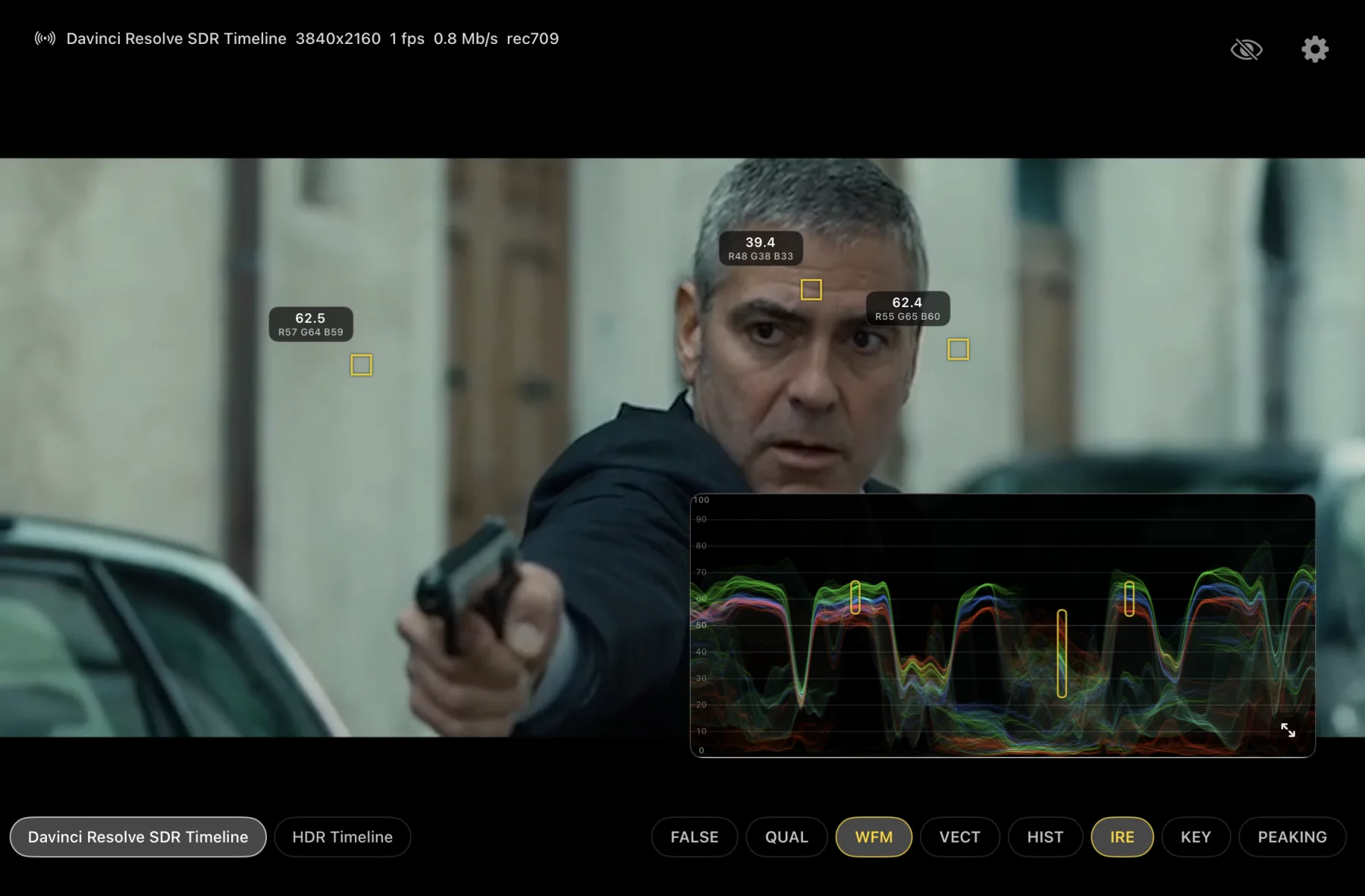
The buttons along the bottom of the screen turn tools on and off. Yellow means on. Every panel can be moved, resized, or opened full-screen with a double-tap, and each quadrant can have its own set.
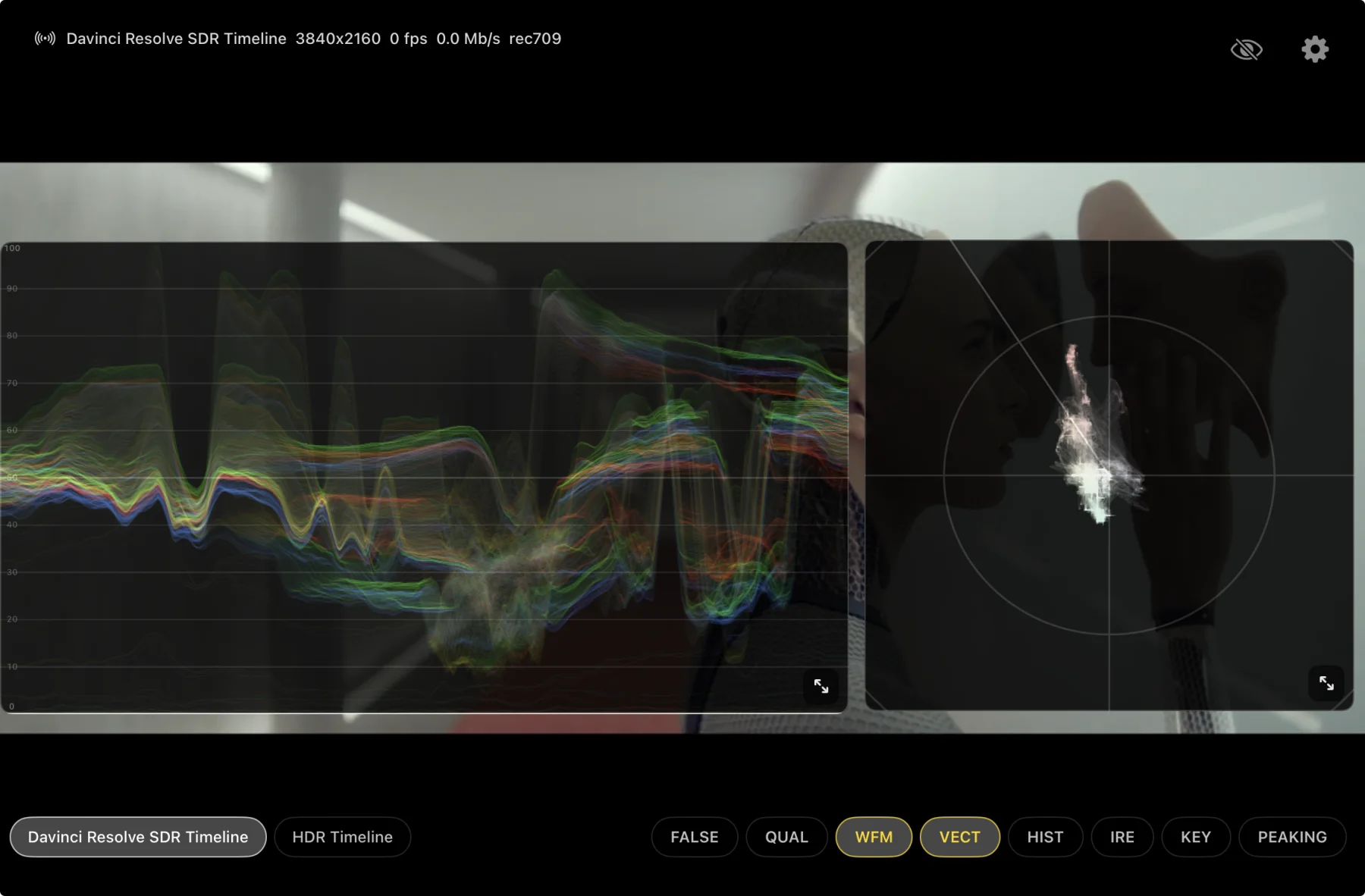
RGB waveform
Red, green and blue traces together, or luma, or YCbCr. Low-pass and temporal filters, peak hold, and a nits scale for PQ and HLG.
Vectorscope
Hue and saturation against Rec.709 or Rec.2020 targets, with adjustable trace gain.
RGB histogram
All three channels, a cumulative luma overlay, and movable reference lines.
CIE 1931 chromaticity
CIE diagram with Rec.709, P3 and BT.2020 triangles. Can zebra out-of-gamut pixels on the picture.
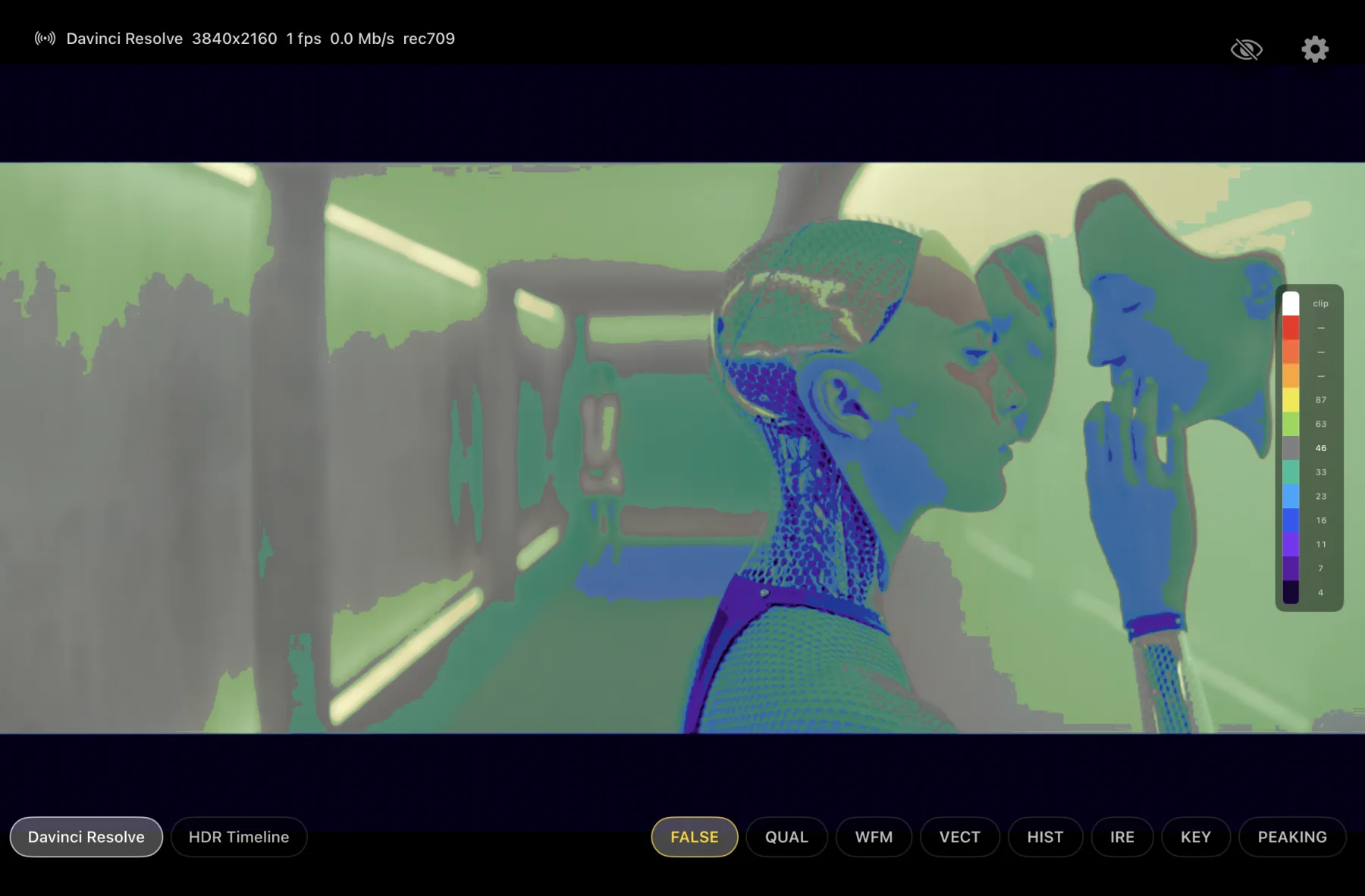
Exposure false colour
Luminance shown as fixed colour bands for SDR, PQ and HLG. Custom charts supported.
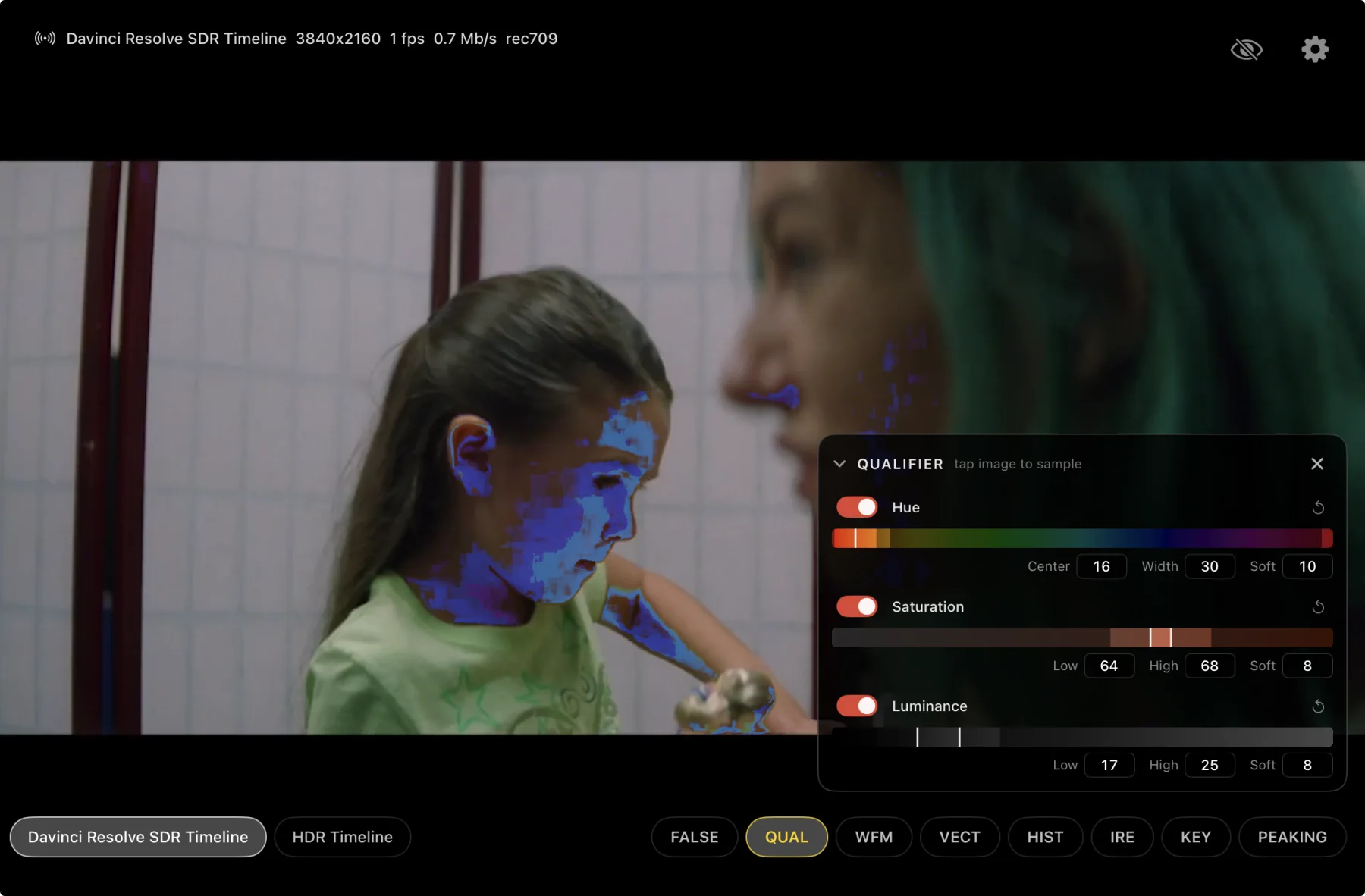
HSL qualifier
Tap a skin tone, adjust the range, and apply false colour only to that selection. The rest of the frame is unchanged.
Eight spot meters
Place and drag up to eight probes. Each one shows its reading over the area it samples.
Uniformity key
Sample a green or blue screen and show distance bands or a keyed checkerboard view.
Focus peaking
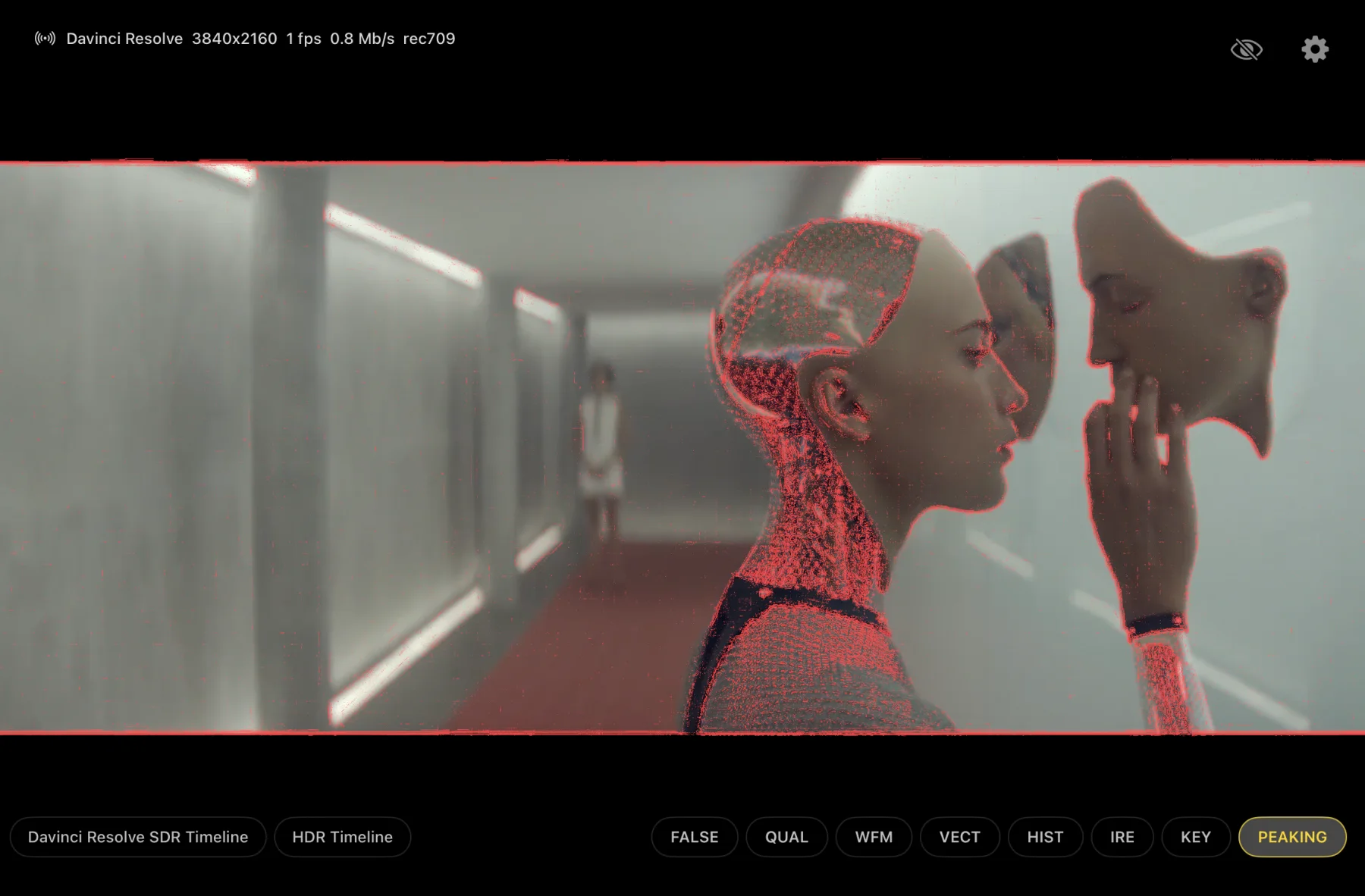
Edge, fine-detail, outline or soft peaking, with adjustable sensitivity, strength, colour and underlay.
Looks
Load .cube LUTs per feed and choose whether the scopes measure before or after the LUT.
10-bit HEIC · Resolve or live video
HDR stills
From a Resolve output or an HDR live feed, a three-finger tap saves the current frame to Photos as a 10-bit HDR HEIC. There is no need to stop the grade and export a frame on the Mac, and no SDR screenshot flattening the result.
A client can hold the iPad, zoom into a face, a title or an edge, and save the HDR frame without touching Resolve.
For mastering, keep a calibrated reference monitor and proper video I/O. Parade is a portable, secondary or client display with scopes.
Common questions
What Parade does and doesn't do
“Can I plug four SDI cables straight into the iPad?”
No. Parade has one local UVC capture input. The other quadrants take network sources: other Parade transmitters, ParadeLink on a Mac with a DeckLink, Resolve, Premiere, NDI or ST 2110.
“Do the other feeds stop when I put A full-screen?”
No. Full-screen only changes what you see. All four connections stay up, assignments stay in place, and recording continues.
“Does the picture leave the room?”
No. Sources travel over the local network between the devices you connect. There is no account, no cloud relay, and no internet connection required.
“Is an iPad my new reference monitor?”
No. Parade replaces a portable monitor, recorder and scope. Keep a calibrated reference monitor and proper video I/O for mastering and final QC.
Mac plugins and ParadeLink
Plugins and ParadeLink
Downloads are hosted on parade.video.
Resolve to Parade
10-bit picture in Rec.709, Rec.2100 PQ or HLG, with adjustable quality from 0.5 to 100 Mb/s.
- Unzip and move
Parade.ofx.bundleto/Library/OFX/Plugins/. - Restart Resolve. Add Parade from OpenFX → Monitoring to the final timeline node.
Premiere to Parade
A Rec.709 video output on iPad. Nothing is added to the clip or the timeline.
- Unzip and move
ParadeTransmitter.bundleto/Library/Application Support/Adobe/Common/Plug-ins/7.0/MediaCore/. - Restart Premiere Pro. Under Settings → Playback, enable Parade Video.
DeckLink inputs to Parade
Up to four DeckLink inputs as separate Parade sources. Notarized universal Mac app.
- Open the DMG, drag ParadeLink to Applications, install Blackmagic Desktop Video.
- Allow local-network access when macOS asks.
- Assign a DeckLink input and stream name to each slot you want to publish.
iOS and iPadOS 17+USB-C UVC capture · device-dependent resolution and rateSame Wi-Fi network for plugin sourcesRecording limits depend on the iPad and its storage